Mocks
Create mocks from scratch or directly from the network logs. Supports static URLs, dynamic URL params, response functions, status codes, and custom delays.
View Logs
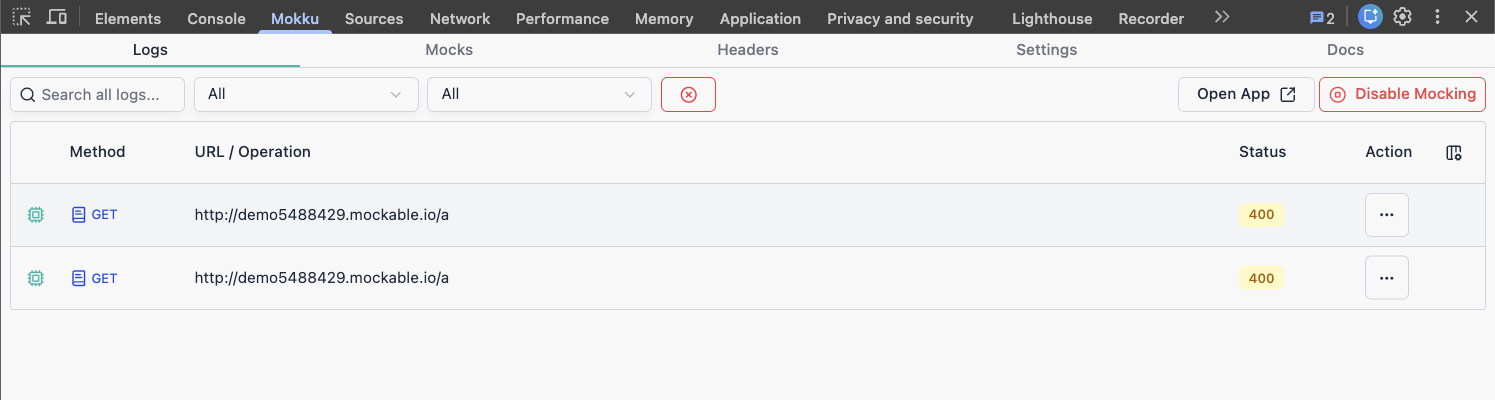
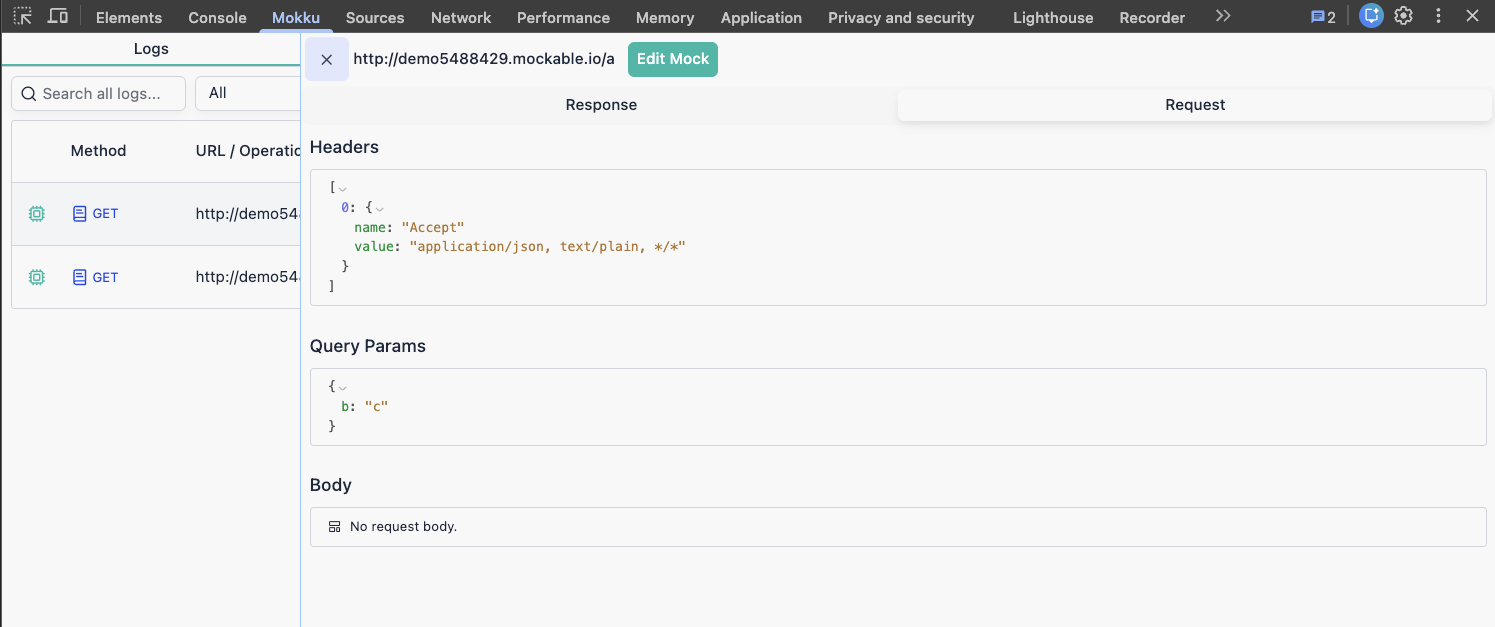
All intercepted requests appear in the Logs section. Click any entry to inspect the full request and response.
Response details
- Headers
- Body
Request details
- Headers
- URL
- Body
- Query params
Add a Mock
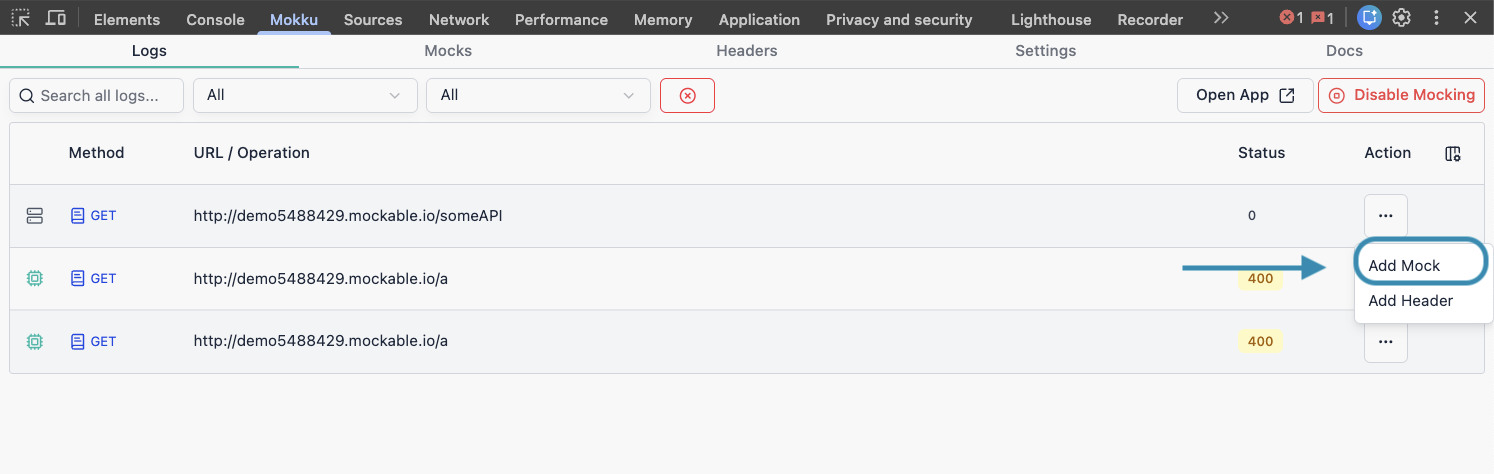
From logs — click the action menu on any log entry and select Add Mock.
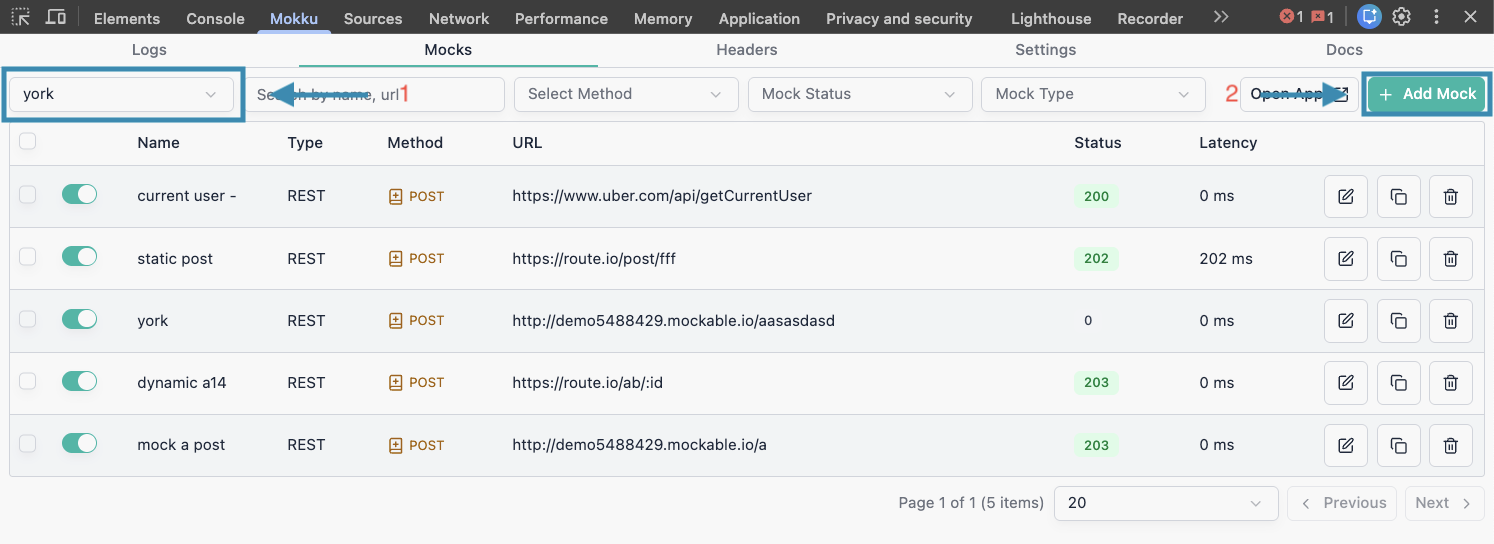
From scratch — go to Mocks, select a project, then click Add Mock.
Dynamic URLs
Use :param segments to match dynamic URL paths.
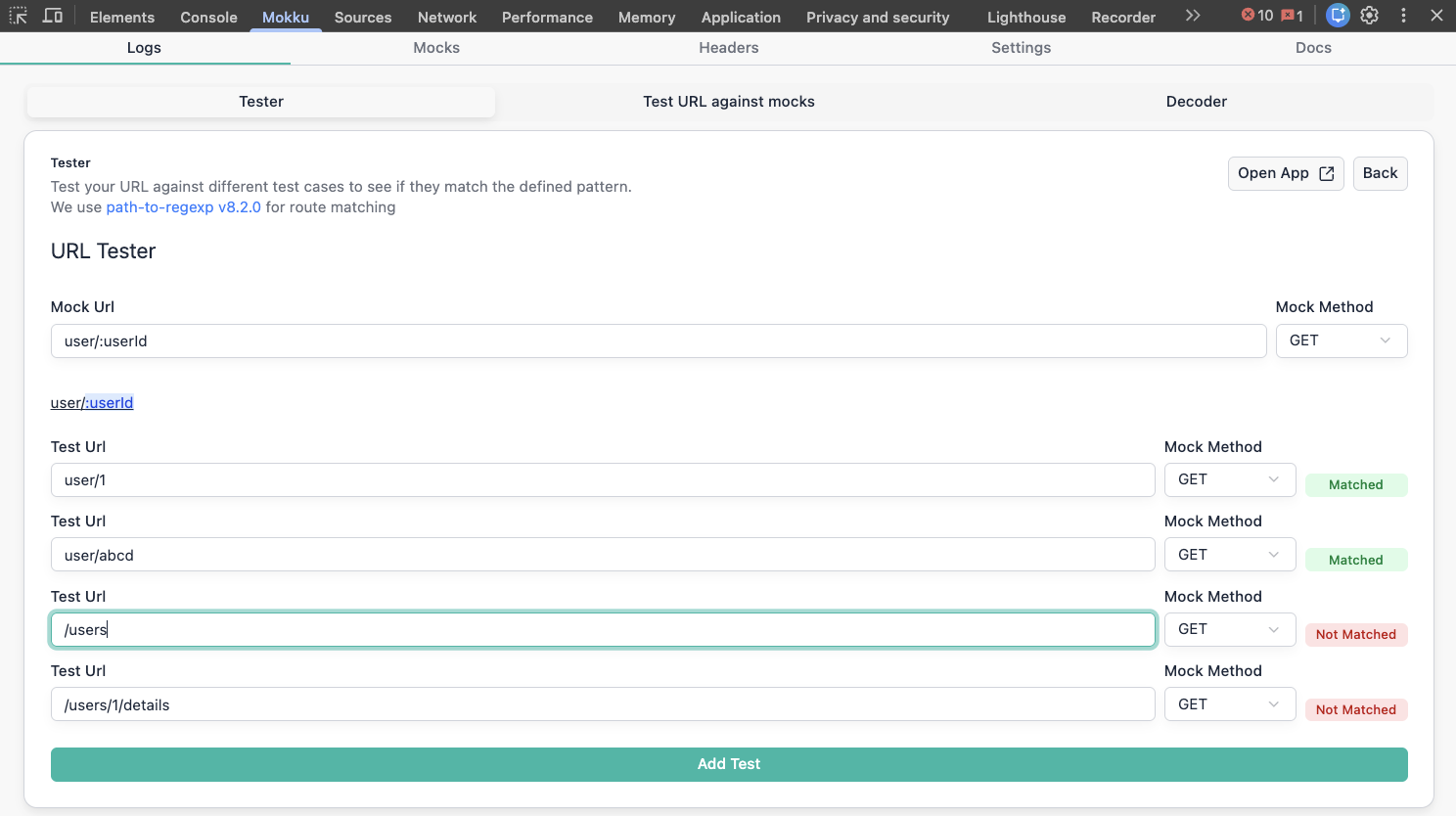
For /users/:userId, Mokku will match:
| URL | Matches? |
|---|---|
/users/1 | ✅ |
/users/abc | ✅ |
/users | ❌ |
/users/1/details | ❌ |
URL Tester
Use the built-in URL tester to verify your patterns before going live. It runs the same matching logic used during interception.
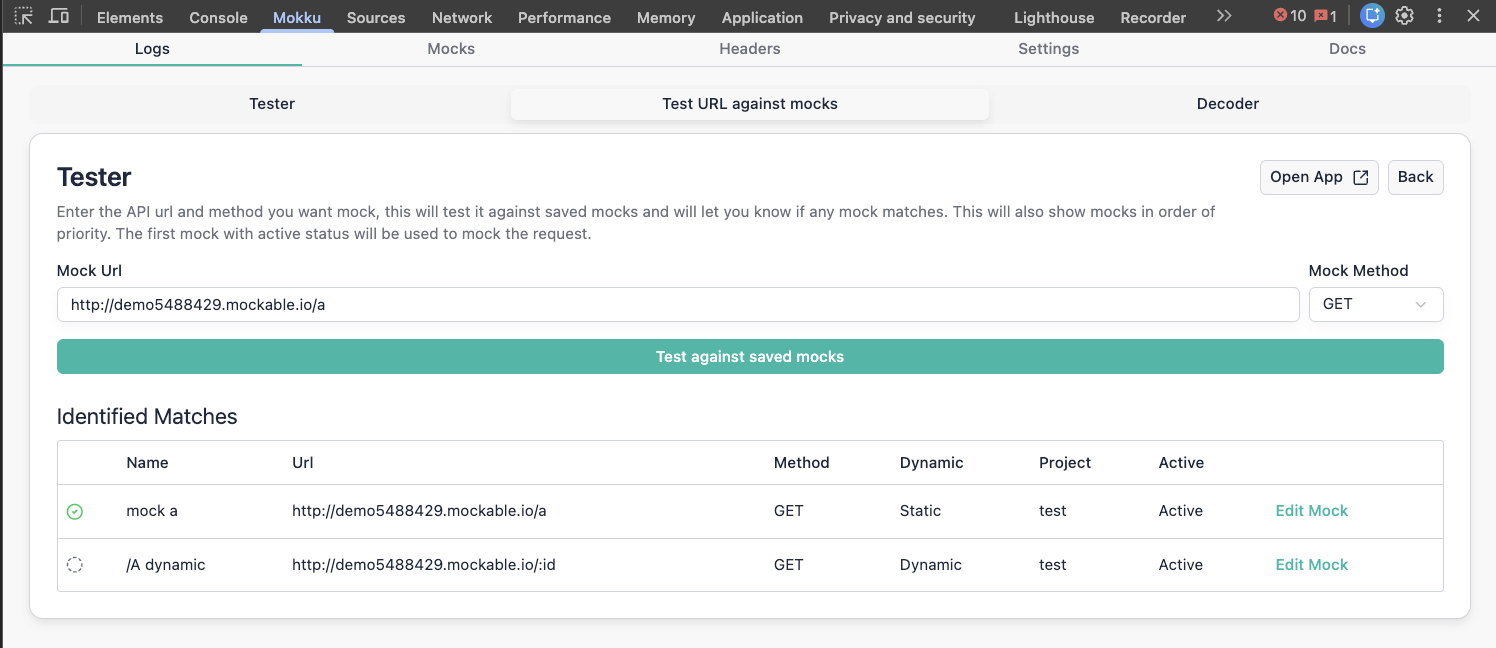
Test mocks against live URLs
The live tester calls the real matching engine and returns all matching mocks in priority order — useful for debugging unexpected mock behaviour.
Response Functions
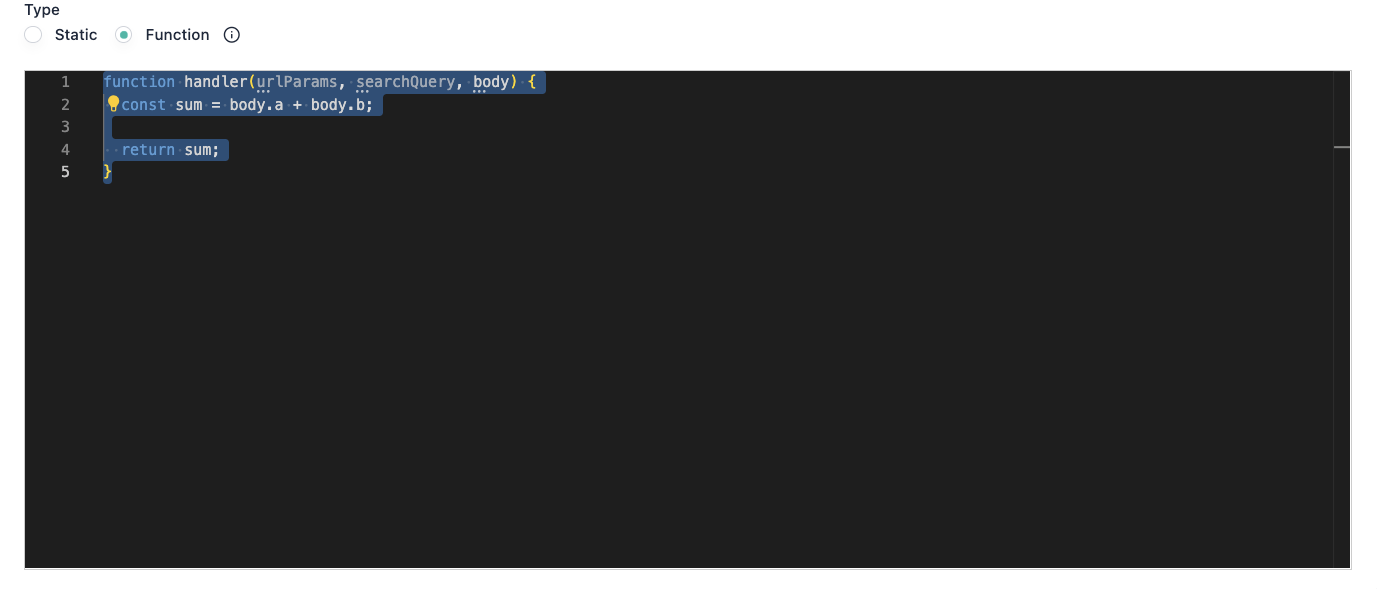
Write a JavaScript function to generate responses dynamically. The function receives queryParams, urlParams, and body.
To use it, select Function as the response type when creating a mock.
GraphQL
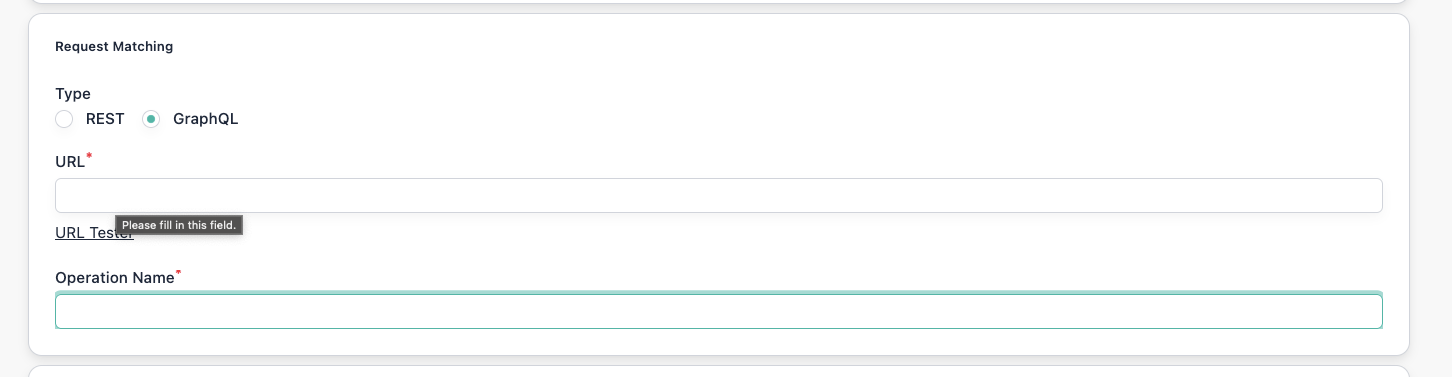
Mock GraphQL requests using the endpoint URL and operation name.
Select GraphQL as the request type when creating a mock.